of adults in France report spending more than seven hours seated each day.
Public Health France, 2024 data Vibe Walkie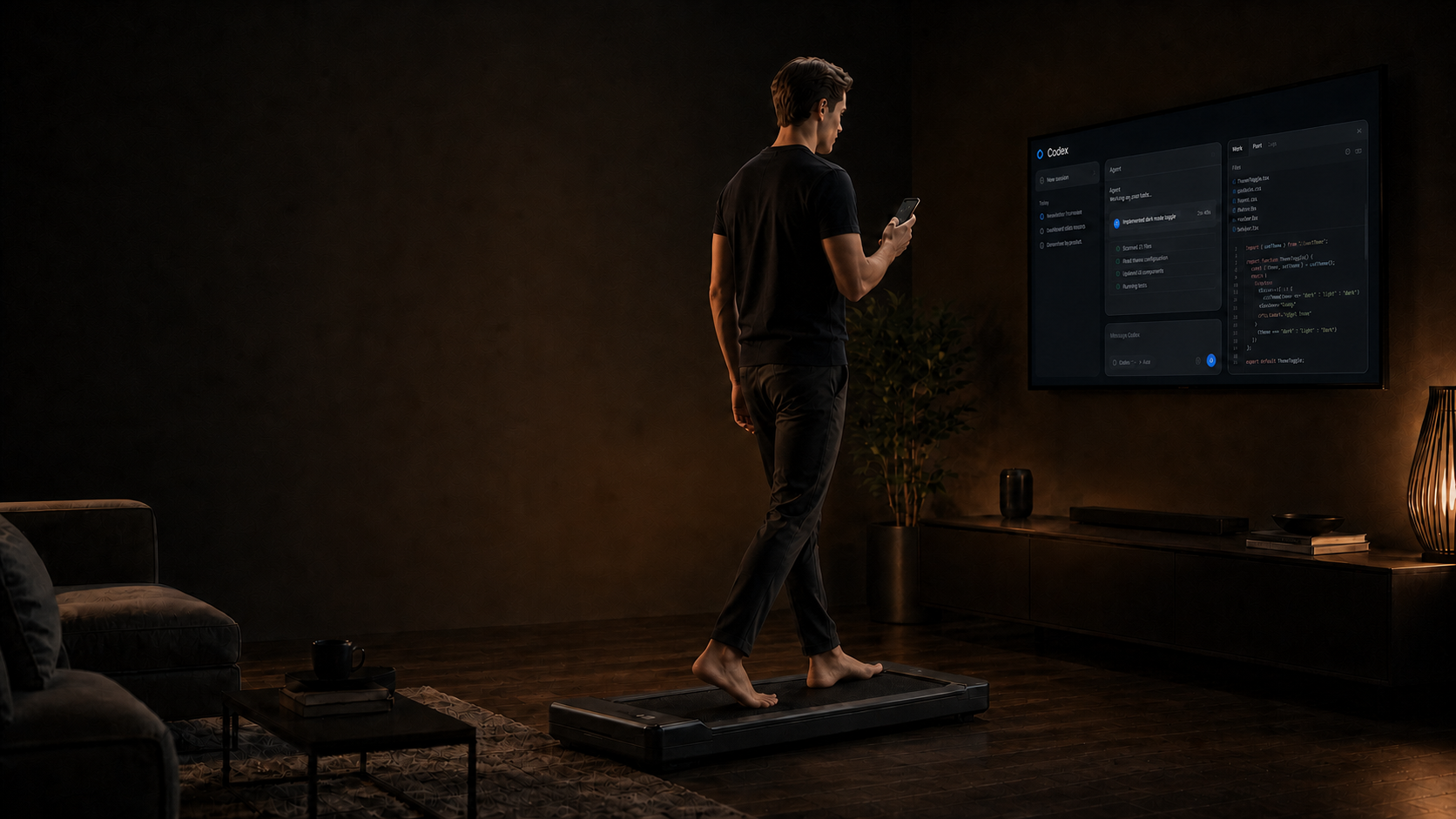
Work beyond the desk
Code while walking. Control your Mac from your iPhone.
Dictate prompts, target the right app, move the pointer and keep essential controls under your thumb, whether you are walking or away from the keyboard.
Get the appVibe Walkie
Your work does not need a chair.
Vibe Walkie brings voice, pointer control, apps, keyboard and useful shortcuts to the iPhone already in your hand.
The keyboard is no longer the only place where work gets done.
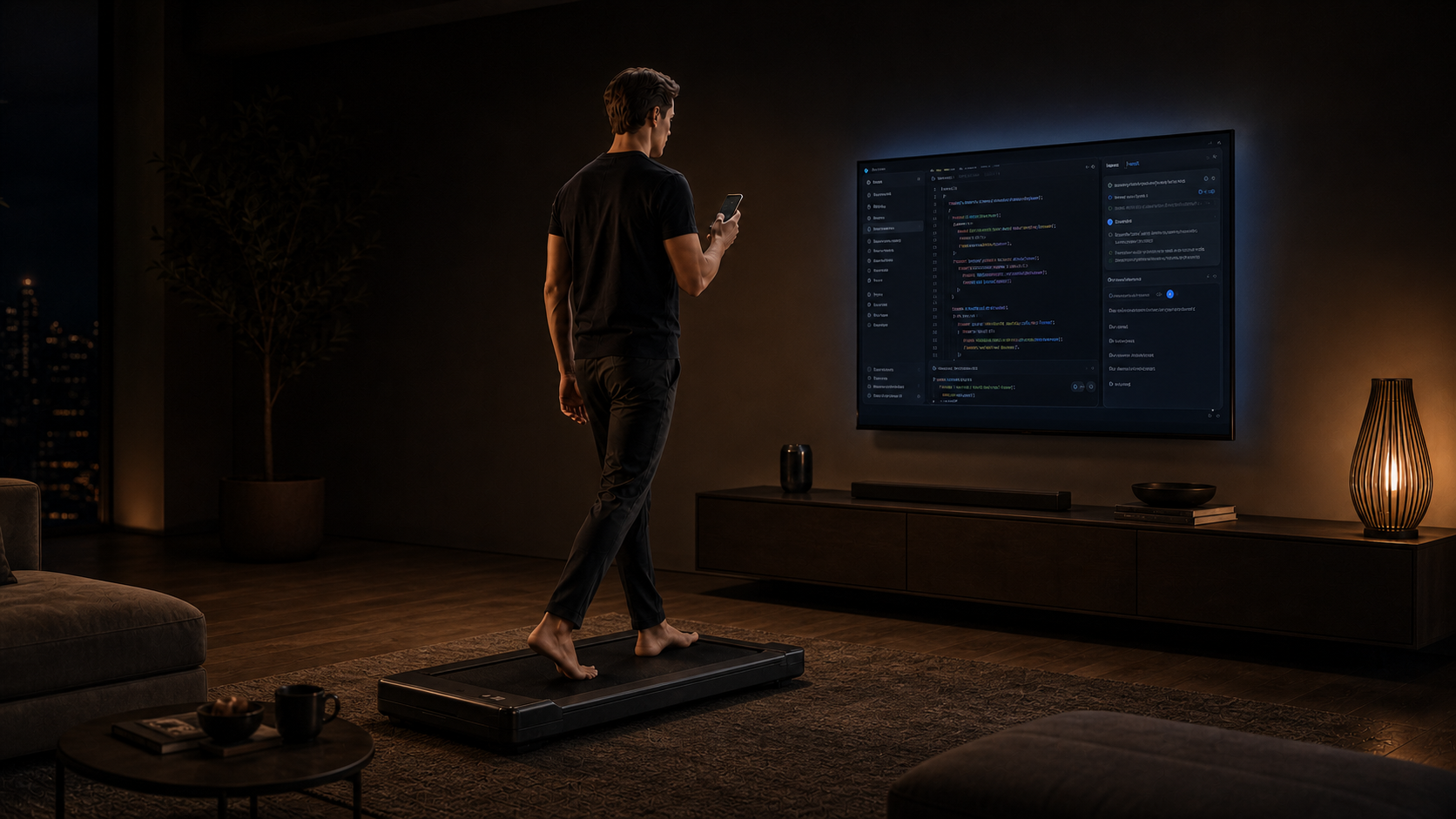
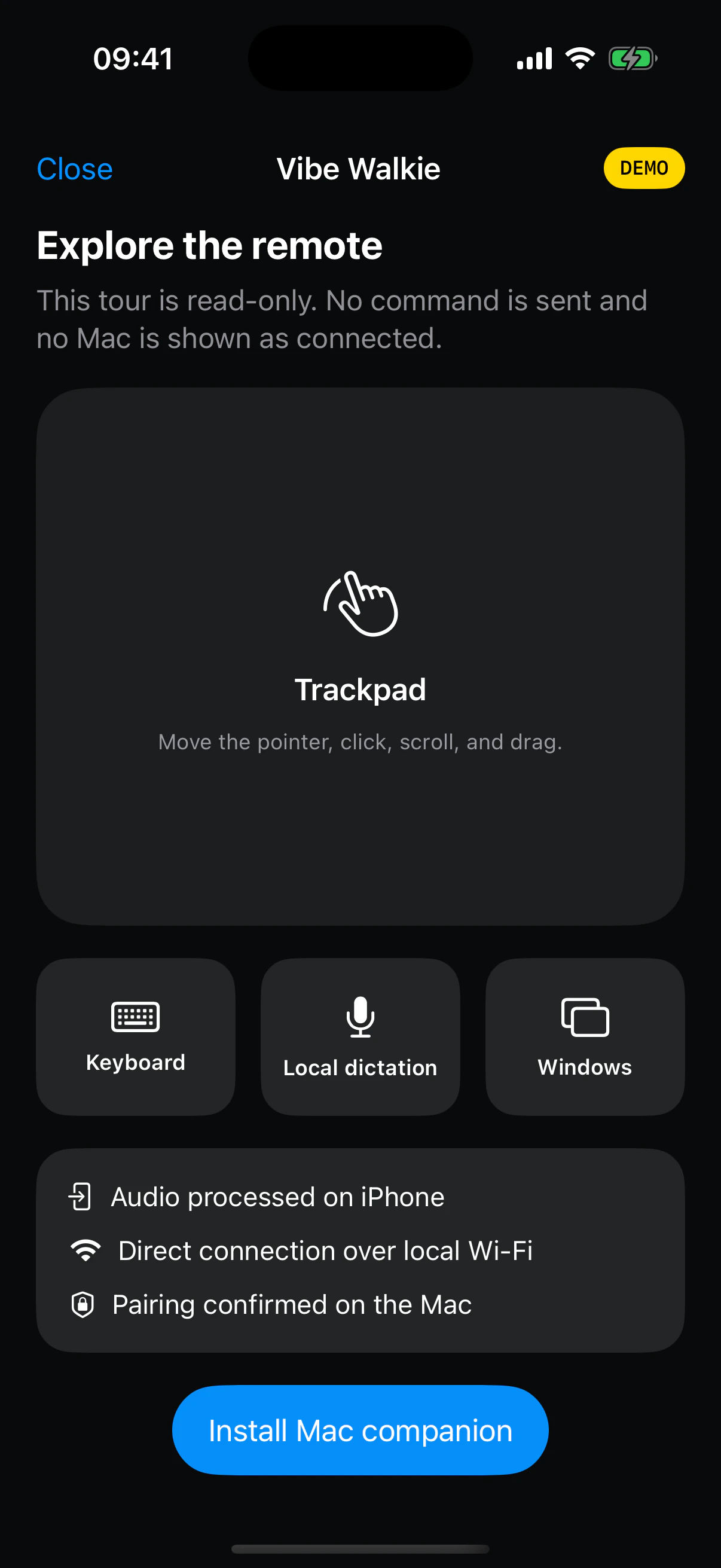
AI understands detailed instructions, large displays have moved beyond the desk and voice has become a practical work interface. Walk, sit on the sofa or lie down, then choose the control that fits the task.
A new way to work
AI is setting work free from the desk.
For decades, using a computer meant sitting in front of a keyboard. An instruction can now be spoken, its result read on a large display and the next action sent with your thumb. Vibe Walkie turns that shift into freedom of posture and control.
steps per day are a realistic reference associated with substantial benefits in a 2025 meta-analysis.
The Lancet Public Healthminutes of moderate physical activity per week are recommended for adults.
World Health OrganizationSeven thousand steps is not a universal requirement: the study observes associations, not an individual guarantee. Moving a little remains preferable to not moving at all.
03
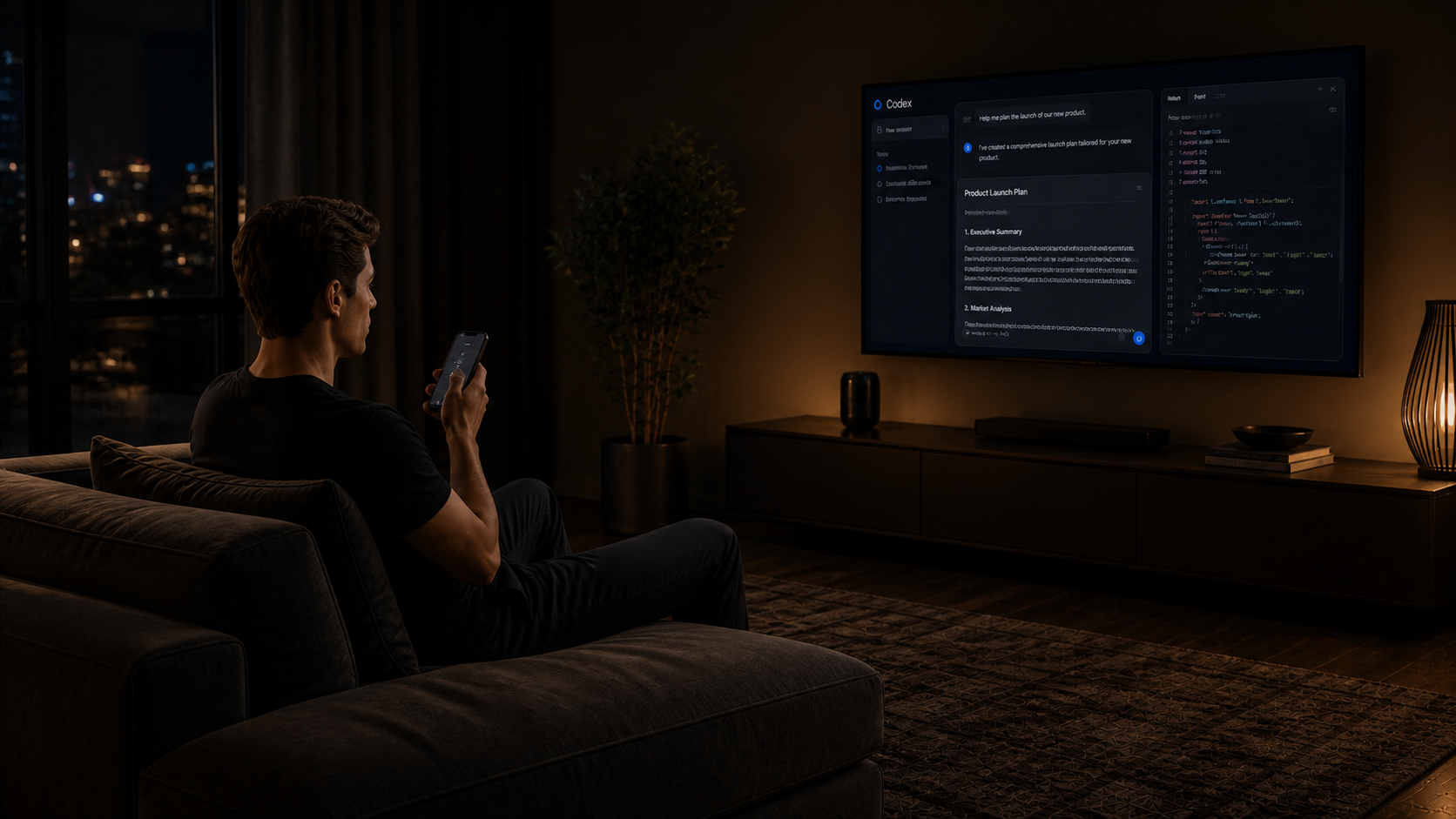
Text goes where you are already working.
Vibe Walkie captures the active target when dictation begins, finalizes text on iPhone and waits for Mac confirmation before reporting success.
- No audio sent to your Mac
- Secure fields always rejected
- No dictation history stored
04
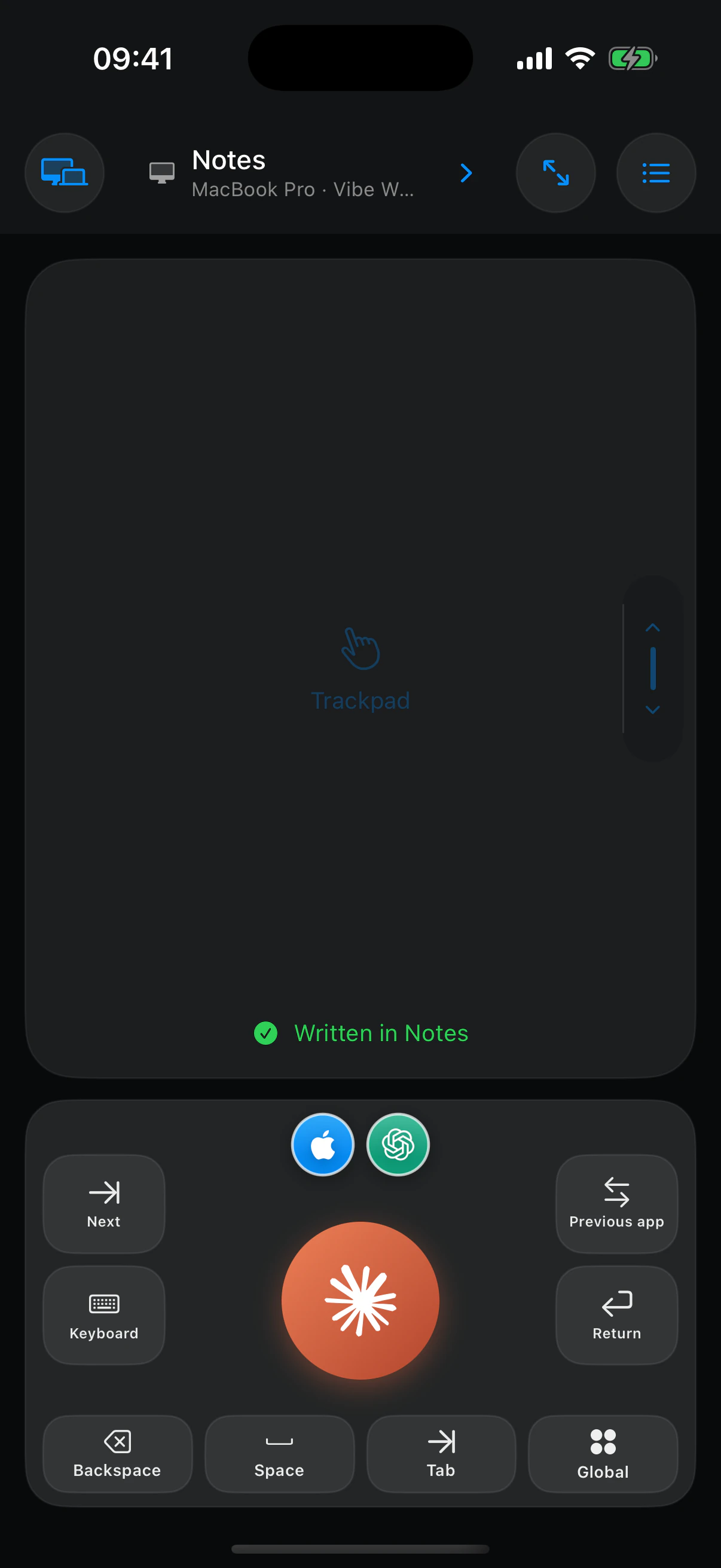
Open the grid. Find the right window.
Vibe Walkie reads the applications open on your Mac. Tap the one you need, wait for confirmation and continue dictating.
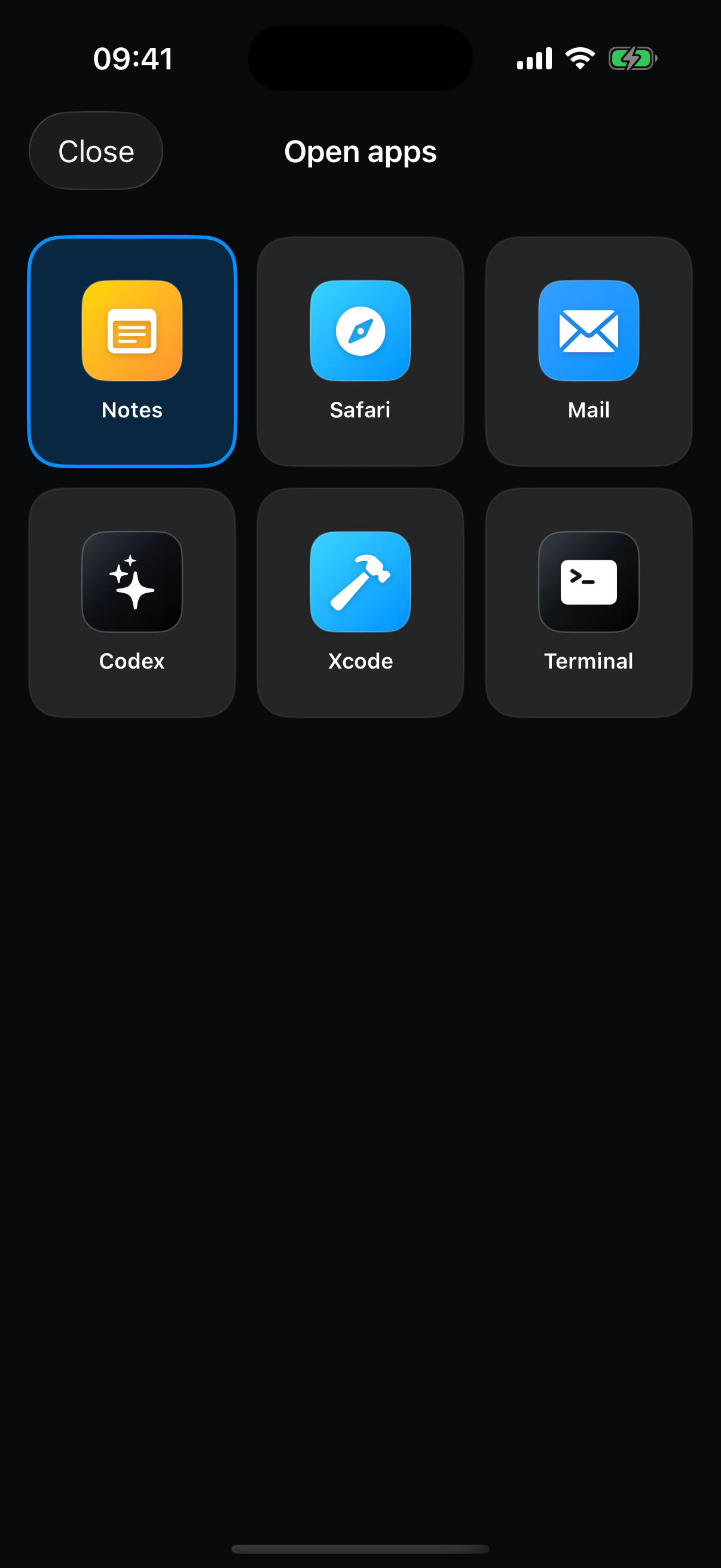
One iPhone. All your Macs.
Switch from one Mac to another. No account to create.
Install the companion on multiple Macs, pair each one by QR code, then choose the machine to control from the button at the top left of the app.
A remote that stays in the loop
It knows where your words go and what your finger does.
The target, connection and visible actions match the actual state of the Mac. Success is never displayed before the companion acknowledges it.
/ Reliable on-device dictation
Audio stays on iPhone. Only finalized text is sent to the Mac.
/ Explicit input target
The Mac captures and verifies the active field again before inserting text.
/ Live Mac screen
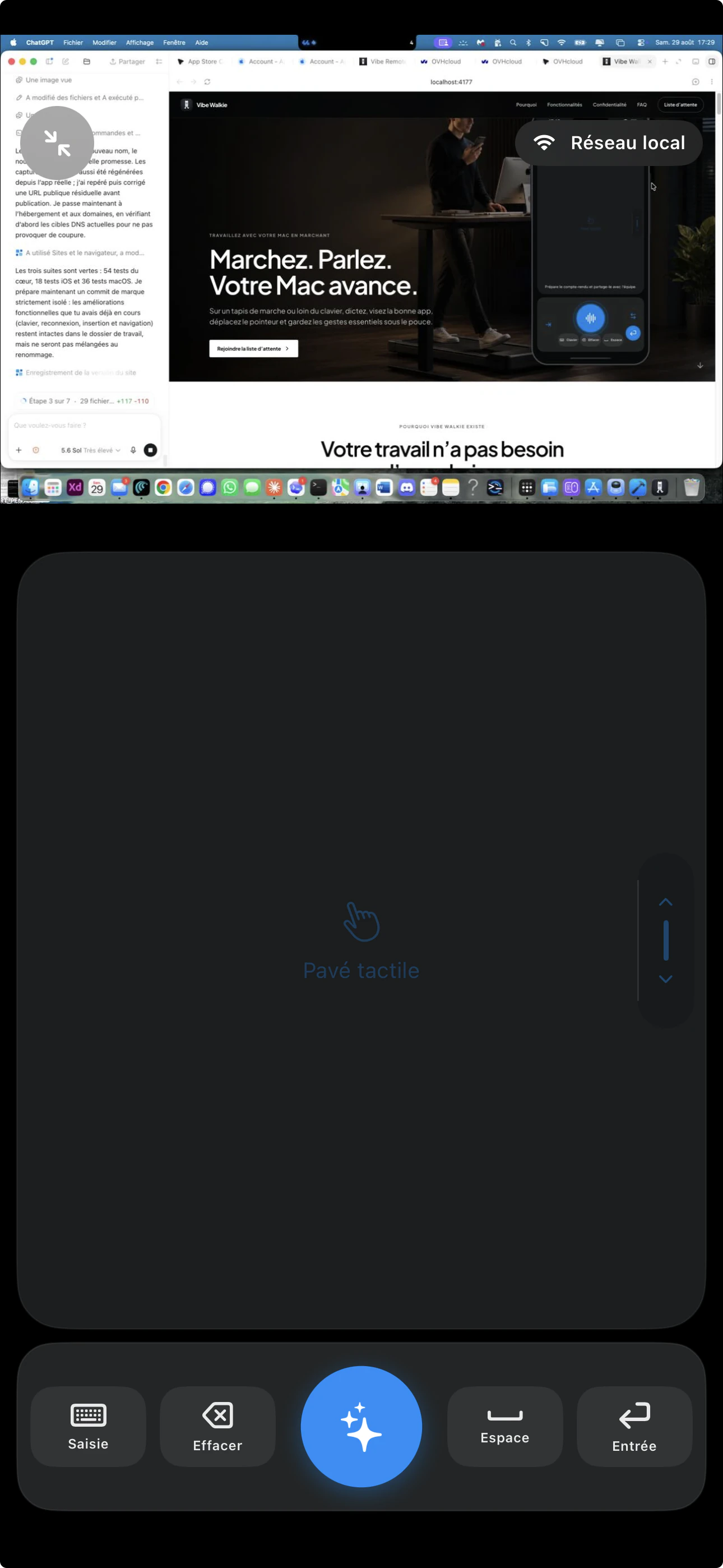
Visual feedback complements the trackpad without hiding the pointer.
/ Encrypted connection
TLS, certificate pinning and device keys protect commands locally and remotely through Tailscale.
Keep moving without losing the thread.
Write, code, analyze, reply or present: Vibe Walkie keeps your Mac accessible while your hands and body are moving.
Walk while AI produces
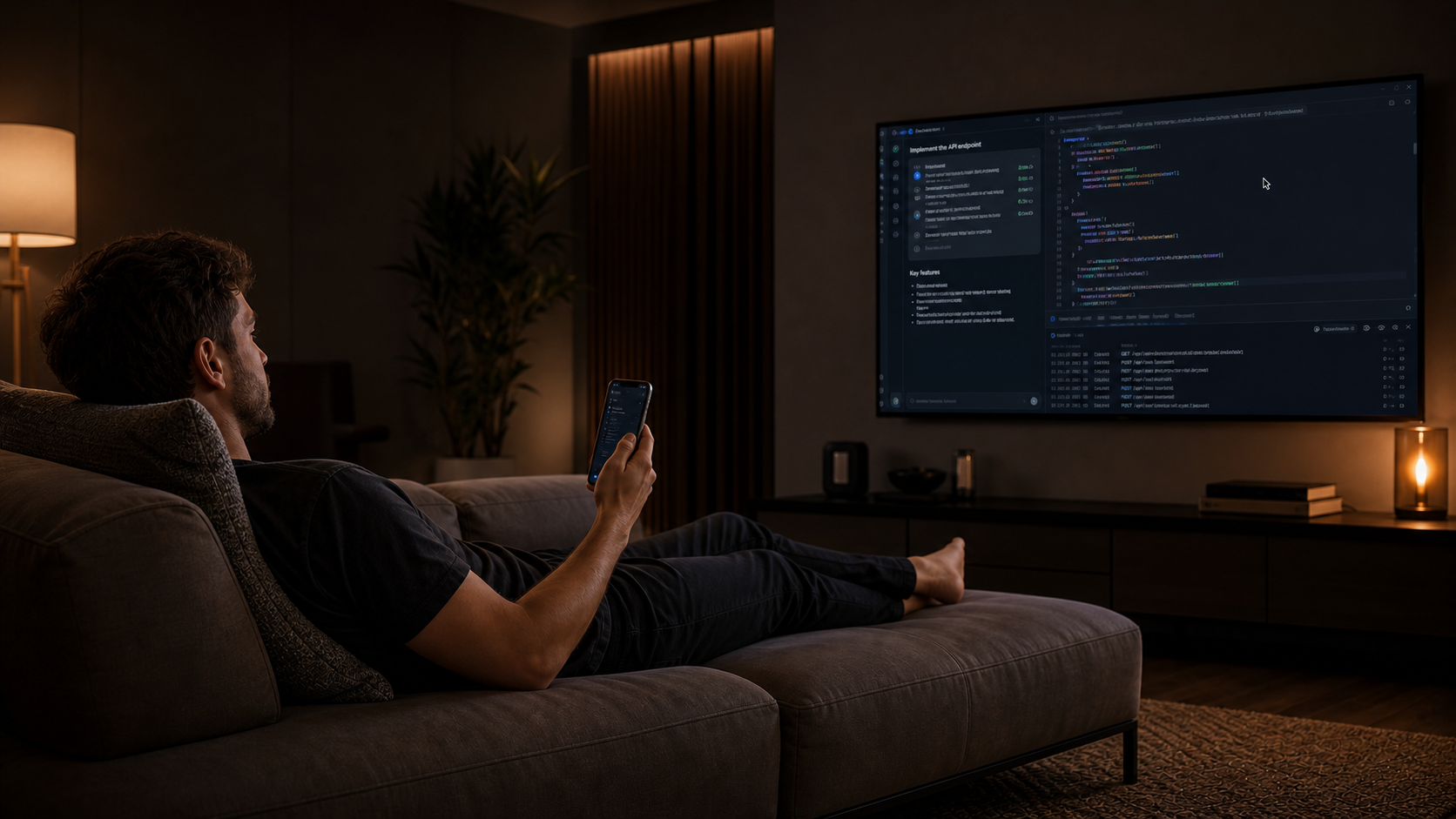
Face the large display and dictate the next task without interrupting your stride.
Prompt from the sofa
Read the response on the television and continue the conversation from iPhone.
See and control the Mac while reclining
Screen view, trackpad and essential keys remain in your hand.
Switch tools without finding the keyboard
Open the right window, point, approve and resume moving.
Keep your tools
Control the apps already open on your Mac.
Notes, Safari, Mail, Codex, Xcode, Terminal and other visible windows appear in the same grid without rebuilding your workspace.
Your gestures, where they belong
A button block that adapts to the way you work.
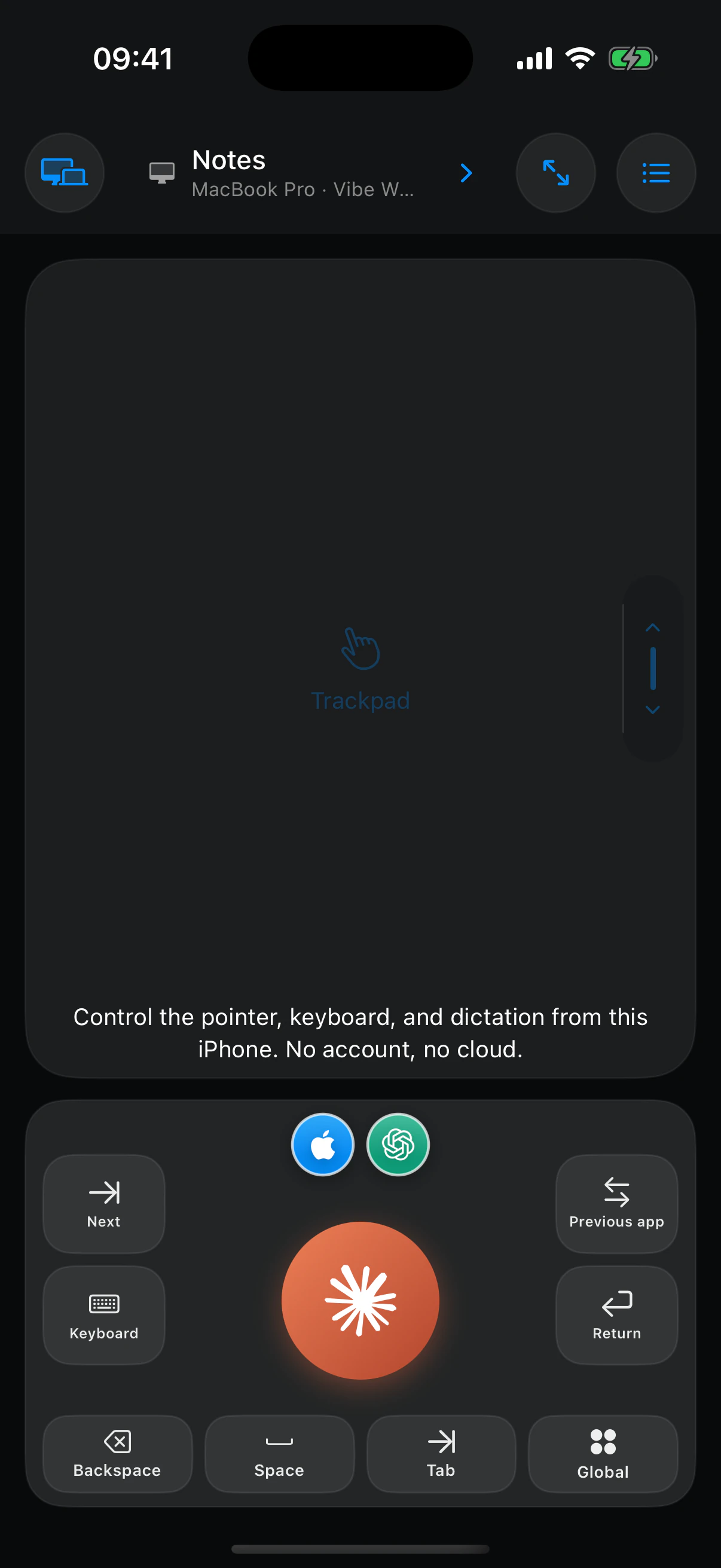
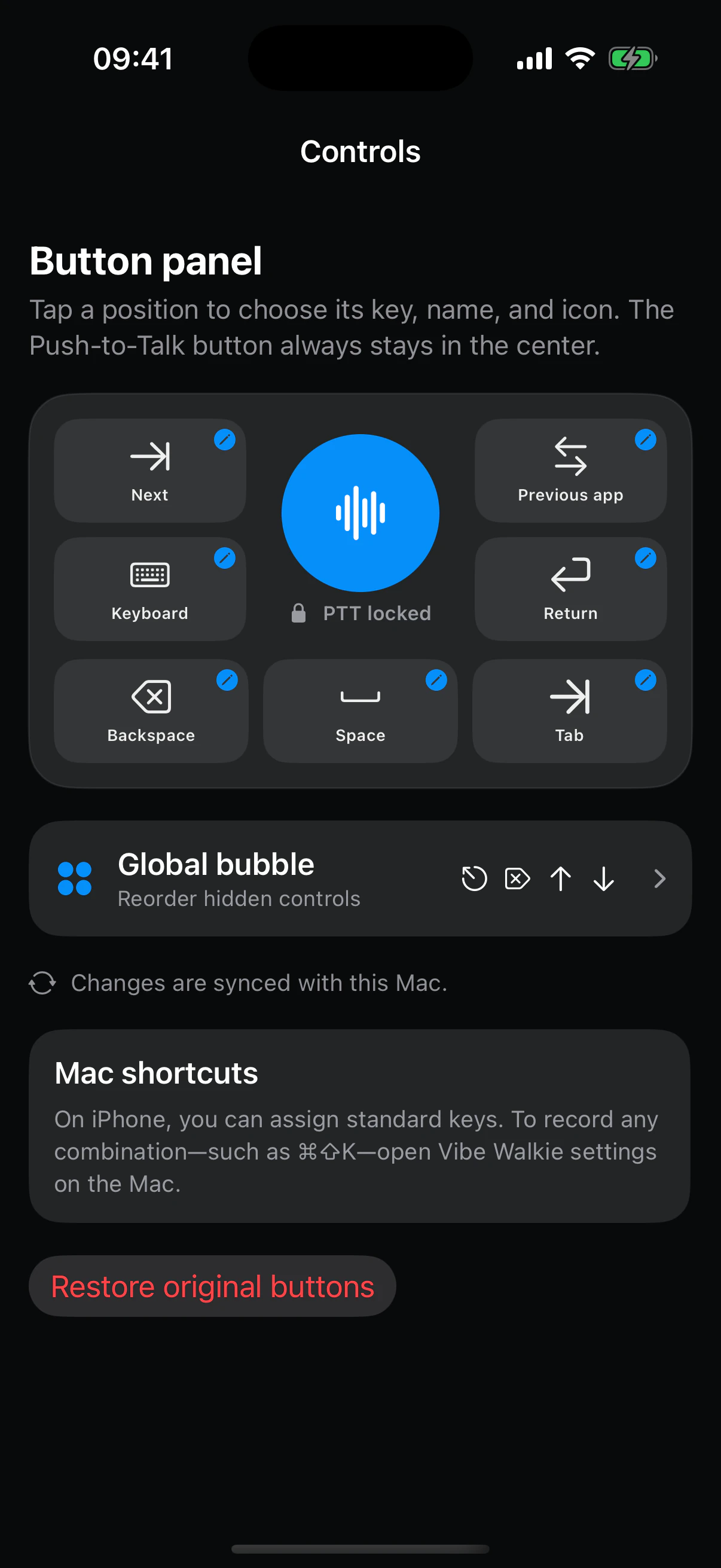
Push-to-Talk stays in the center. Around it, seven zones hold the commands you really use, always in the same place under your thumb.
01 / SEVEN VISIBLE ZONES
Build your remote.
Tap a zone to choose its key, name and icon. Delete, Return, Tab, keyboard or Mac shortcut: the block follows your workflow.
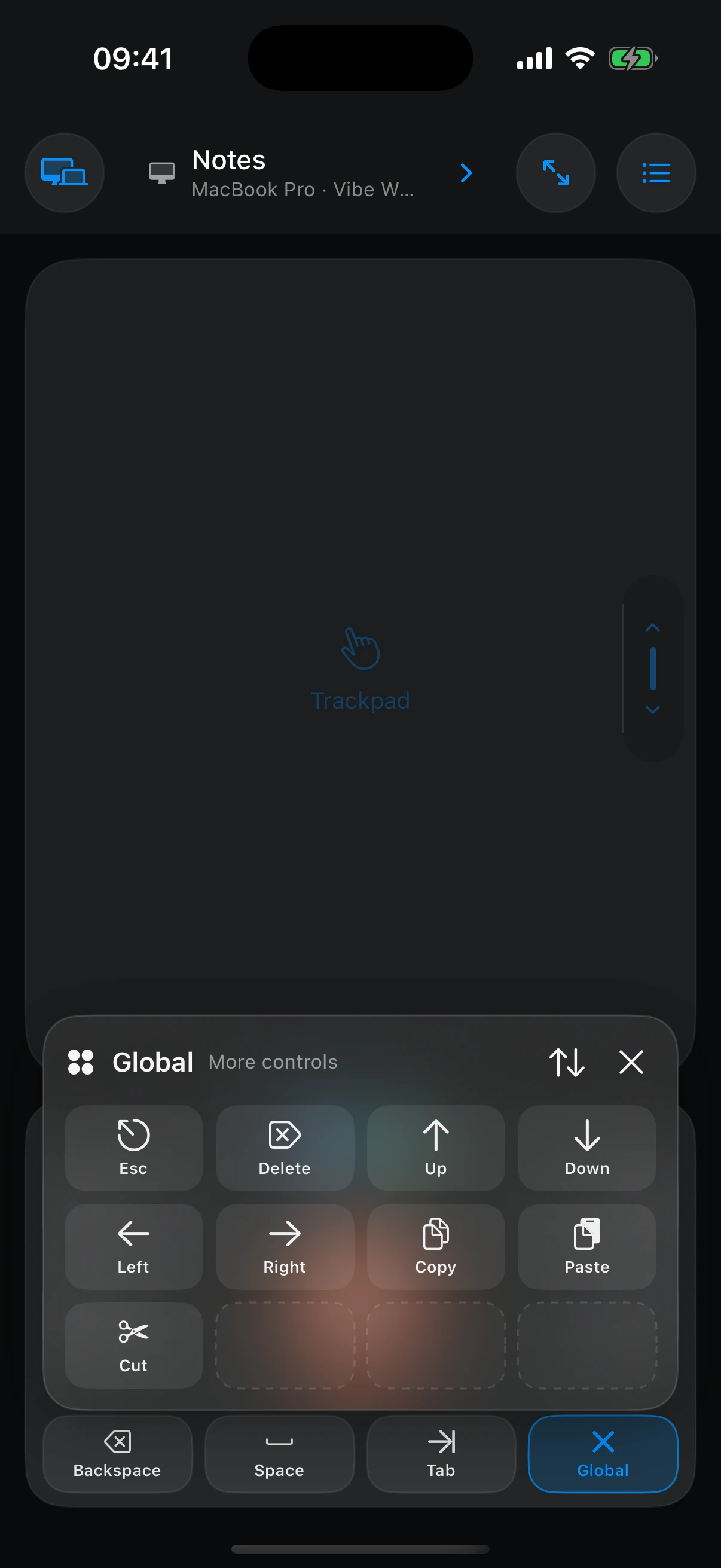
02 / GLOBAL PALETTE
Keep every other command one gesture away.
Copy, paste, arrows, Escape and less frequent actions remain in a reorderable palette without overloading the main screen.
Assign essential Mac commands to the seven visible positions.
Rename each button and choose a system icon or your own image.
Record a combination such as Command-Shift-K from the Mac companion.
Frequently asked questions
What to know before you start.
01Is Vibe Walkie only a dictation app?
No. It is a complete iPhone remote for Mac with dictation, trackpad, keyboard, shortcuts, app switching and screen view.
02Can I really work while walking?
Yes. On a walking pad or standing away from the keyboard, Vibe Walkie keeps voice, pointer control, apps and commands in your hand.
03Can it replace a keyboard and mouse?
It can replace them or complement them. The best choice depends on your preferences and the precision required by the task.
04Where is my voice processed?
On your iPhone with a downloadable Apple speech model. Audio is never sent to the Mac.
05Does it work away from local Wi-Fi?
Yes, when Tailscale is installed separately on both devices and they can reach each other on the same tailnet.
06Which Mac apps can I control?
Vibe Walkie can activate visible apps and windows through the Mac companion. Secure fields are intentionally excluded.
07Do I need an account?
No. Pairing uses a QR code between your iPhone and Mac, and device keys remain on your devices.
08What equipment do I need?
An iPhone with a supported downloadable Apple speech model, a Mac running macOS 15 or later and the free Vibe Walkie companion.
Multi-Mac · available now
Your Macs, wherever they are. One gesture to switch.
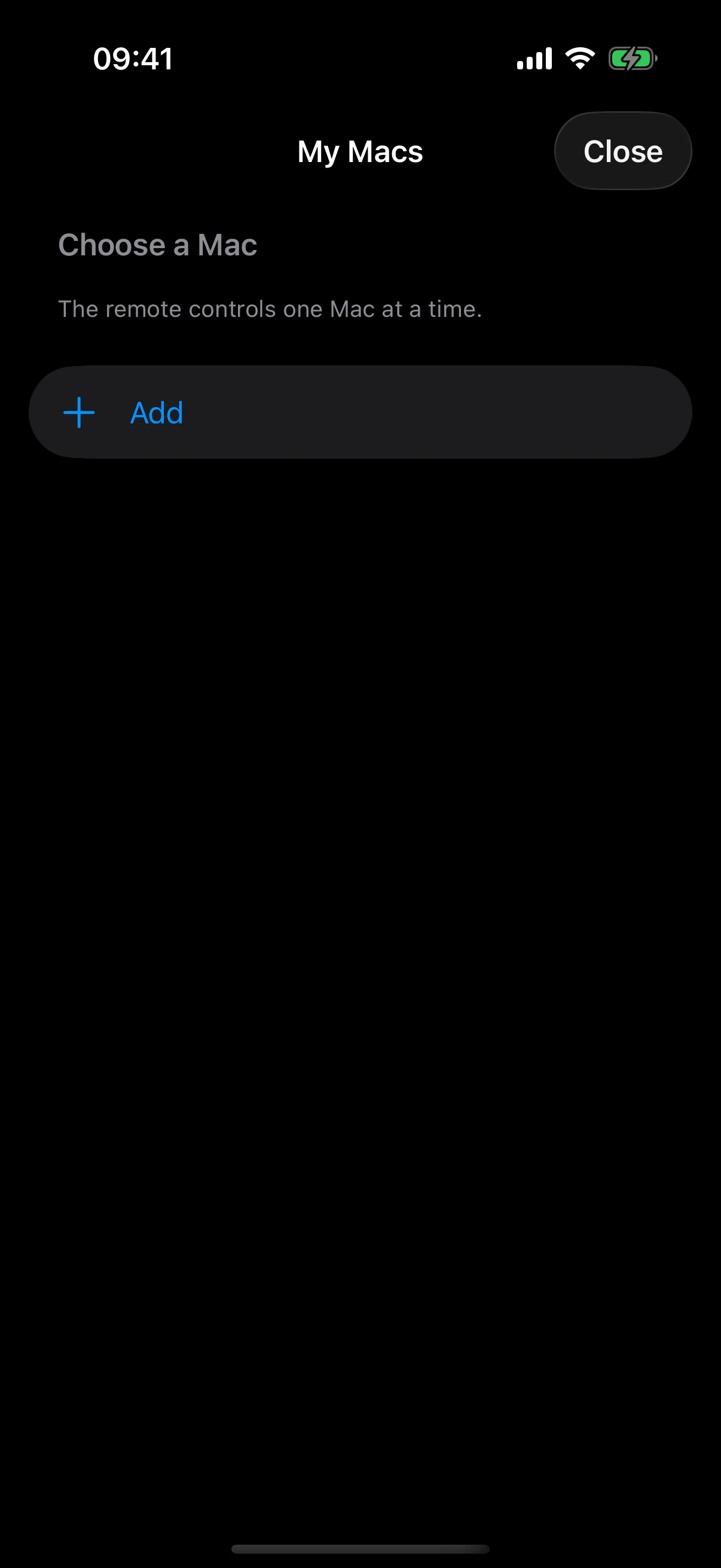
THE BUTTON AT THE TOP LEFT
Open My Macs and choose the machine.
The active Mac has a blue checkmark and shows its connection status. Tap another Mac to switch immediately, or Add a Mac to pair a new machine.
Install the companion
Add Vibe Walkie to every Mac you want to control.

Pair every Mac
Scan its Roaming QR code and confirm the matching code on the Mac.
Switch in one gesture
Tap the Mac name at the top left and choose another machine.

Local or remote
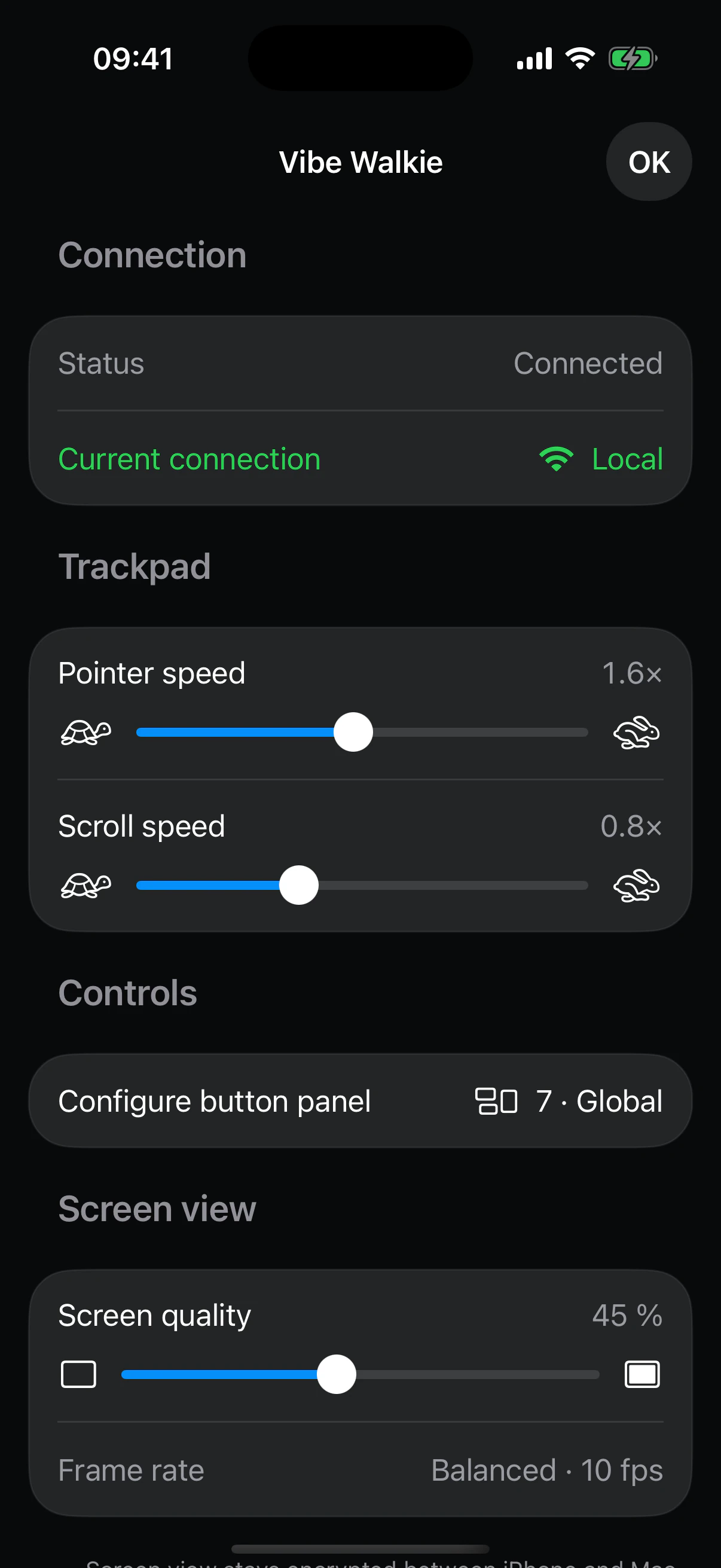
Local Wi-Fi stays preferred; Tailscale takes over when you are away.
Get the app
One iPhone. All your Macs.
Join the iPhone release on the App Store or TestFlight, then install the signed and notarized Mac companion.
iPhone · Mac